
What is PC migration for Enterprises?
PC migration for enterprises is the controlled, secure process of transferring employee data, applications, user profiles, and system settings from one computer or operating system to another, at scale. It is typically performed during hardware refreshes, OS upgrades, security initiatives, or organizational changes, ensuring users experience zero or minimal disruption.
Unlike basic file transfers, enterprise PC migration preserves the entire working environment while meeting security, compliance, and operational requirements.

PC migration is no longer optional for large organizations
PC migration is critical for enterprises because it enables secure device refreshes, operating system upgrades, and workforce transitions without productivity loss or data exposure. It has become a core IT lifecycle function driven by security, compliance, and the need to upgrade PCs at scale.
1. Hardware Lifecycle Management
Most enterprises replace endpoints every 3–5 years. Without migration automation:
- IT must manually rebuild devices
- Users lose productivity
- Errors multiply across thousands of machines
PC migration enables seamless onboarding without physical IT access.
2. Workforce Mobility & Remote Work
Hybrid and remote workforces require:
- Shipping devices directly to employees
- Zero-touch or low-touch setup
- Secure data handling outside corporate offices
PC migration enables seamless onboarding without physical IT access.
3. Operating System Modernization
OS transitions (such as Windows 10 to Windows 11) require:
- Preserving user environments
- Ensuring application compatibility
- Meeting security baselines
PC migration tools prevent “clean-slate” rebuilds that frustrate employees and overload IT.
4. Mergers, Acquisitions & Organizational Change
During M&A or restructuring:
- Domains change
- Policies shift
- Data ownership must remain intact
PC migration ensures continuity without violating security or compliance rules.
5. Security, Compliance & Risk Reduction
Manual copying introduces:
- Data leakage risk
- Configuration drift
- Audit failures
Enterprise PC migration enforces standardized, logged, and encrypted transfers.

Key Benefits of PC Migration Software
Using dedicated PC migration software provides measurable advantages over manual methods and imaging tools:
- Minimized downtime – Employees can work immediately after migration
- Preserved user experience – Files, settings, and personalization remain intact
- Faster deployments – Large-scale PC migrations are completed in minutes per device
- Reduced IT workload – Eliminates manual rebuilding and troubleshooting
- Improved security – Encrypted, auditable, and policy-driven migration
- Scalable execution – Supports enterprise-wide Windows PC migration
- Lower operational risk – Prevents data loss and configuration errors
Who Should Use Enterprise PC Migration Software?
Enterprise PC migration software is built for organizations that manage large numbers of Windows devices and require a reliable PC migration solution to move users securely, efficiently, and at scale. It is especially valuable for teams responsible for Windows PC migrations, minimizing downtime, enforcing security, and maintaining operational continuity during change.
This type of solution is essential for enterprises planning large-scale PC migration initiatives, including hardware refreshes, operating system upgrades, and workforce transitions.

Enterprise IT Leaders
Enterprise IT leaders rely on Laplink's PCmover Enterprise as a proven PC migration software solution to reduce operational risk during hardware refreshes, OS upgrades, and modernization initiatives. It delivers predictable outcomes, lowers migration costs, and ensures large-scale PC migration projects stay on schedule and under budget without disrupting operations.

Endpoint & Device Management Teams
Endpoint and device management teams use enterprise PC migration software to automate device refreshes and Windows PC migrations without manually rebuilding user environments. This approach enables faster rollouts, fewer support tickets, and consistent user experiences across thousands of Windows endpoints.

Infrastructure & Systems Teams
Infrastructure teams benefit from PC migration software by maintaining system stability during transitions such as domain changes, hardware standardization, or operating system upgrades. Automated workflows support large-scale PC migrations while reducing configuration drift and deployment errors across complex enterprise environments.

Security & Compliance Teams
Security and compliance teams depend on secure PC migrations to ensure enterprise data is encrypted, access is tightly controlled, and all migration activity is logged and auditable. A secure PC migration strategy is critical for meeting internal risk frameworks and regulatory requirements, especially during Windows PC migration projects such as Windows 10 to Windows 11 upgrades.
How PC Migration Works in Enterprise Environments
PC migration follows a structured, repeatable process that securely transfers user profiles, data, and settings between PCs or operating systems at scale. Automation ensures consistency, security, and auditability across thousands of devices.
STEP 1
Environment Discovery
The migration system scans:
- User profiles
- Data locations (local, mapped, redirected)
- Application settings
- OS configurations
This creates a complete migration blueprint.
STEP 2
Migration Policy
Configuration
IT defines rules such as:
- What data is included or excluded
- Which settings to move
- Conflict resolution behavior
- Security and encryption requirements
Policies ensure consistency across all devices.
STEP 3
Secure Data Capture
User environments are:
- Encrypted
- Temporarily staged or streamed
- Protected against tampering
This step eliminates manual data handling risks.
STEP 4
Data & Profile Transfer
Depending on infrastructure, migration occurs via:
- Network transfer
- Direct PC-to-PC connection
- Secure storage staging
- Hybrid approaches
All transfers are logged for traceability.
Want Seamless Profile-to-Profile Transfers, Check out PCmover Profile Migrator here
STEP 5
Application & Settings Restoration
Applications are reconnected with:
- Preserved preferences
- Restored user configurations
- Maintained workflows
Users log in and continue working normally.
STEP 6
Validation & Reporting
IT receives:
- Success/failure confirmation
- Audit-ready reports
- Exception handling visibility
This ensures compliance and operational confidence.
PCmover Migrations vs Manual Migrations (Enterprise Comparison)
PC migration software outperforms manual migration by reducing time, eliminating human error, and enabling secure, scalable enterprise deployments. Manual methods do not scale and introduce unnecessary risk.
| CRITERIA | AUTOMATED PC MIGRATION | MANUAL PC MIGRATION |
|---|---|---|
|
Scalability |
Thousands of devices | Limited |
|
Migration speed |
Minutes per device | Hours per device |
|
Data integrity |
Verified & logged | Error-prone |
|
Security |
Encrypted & controlled | Inconsistent |
|
Compliance |
Audit-ready | Hard to prove |
|
Remote support |
Fully supported | Poor |
|
IT workload |
Low | High |
Security & Compliance in Enterprise
PC Migration
Secure PC migration protects enterprise data through encryption, access controls, and audit logging, reducing compliance and insider risk during device or OS transitions.
- End-to-end encryption
- Role-based administrative controls
- No unnecessary cloud dependency
- Detailed audit logs
- Reduced insider and operational risk
A secure PC migration strategy protects both enterprise data and business continuity.
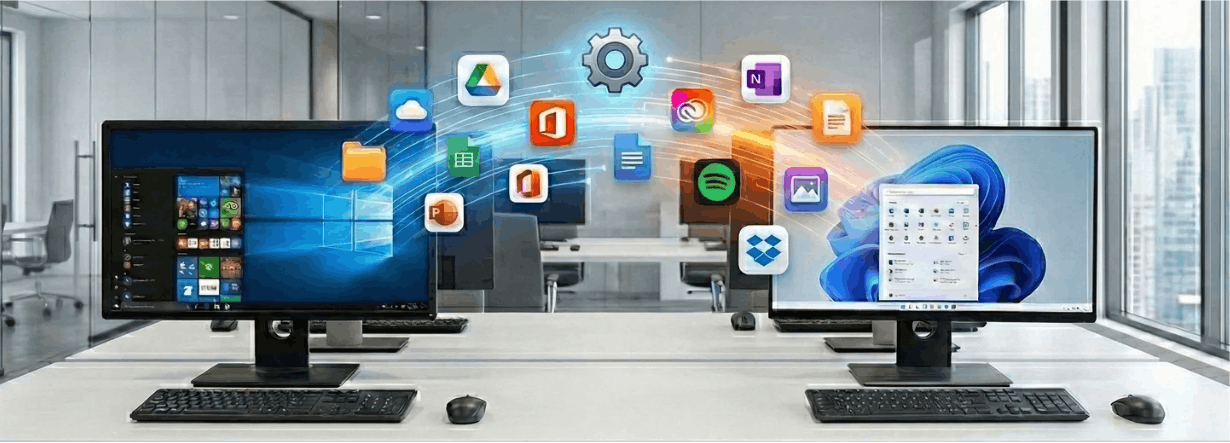

The Windows 10 end-of-support timeline has made Windows 10 to Windows 11 migrations unavoidable for enterprises.
Challenges include:
- Hardware compatibility requirements (TPM, Secure Boot)
- Application readiness
- Tight deployment schedules
- User disruption risk
Enterprise PC migration ensures:
- User profiles remain intact
- Files and settings are preserved
- Helpdesk impact is minimized
Enterprise PC Migration Case Study – Global Hardware Refresh Using PCmover Enterprise
CHALLENGE
A global enterprise needed to complete a large-scale hardware refresh involving thousands of Windows PCs while preserving user profiles, application settings, and data.
SOLUTION
Using Laplink PC Migration Software, the organization automated PC migration across departments, enabling users to transition to new devices without retraining or productivity loss.
PROVEN RESULTS:
Laplink PC Migration in Real-World Environments
Below are real-world examples that demonstrate how enterprises successfully execute secure, large-scale PC migration using Laplink.

Reduced migration time from hours to minutes per PC

Preserved user data and personalization

Lowered helpdesk tickets during rollout

Completed migration within scheduled timelines
Trusted by Enterprises Wordwide
Organizations across industries, including large enterprises, government, healthcare, education, and financial services, rely on Laplink PCmover for mission-critical migrations.
Microsoft & Intel Recommendations
Laplink is recognized as the ONLY PC migration solution recommended by Microsoft and Intel, reinforcing its reliability for enterprise Windows environments.
This recommendation reflects:
- Compatibility with Windows enterprise architectures
- Alignment with modern endpoint management strategies
- Support for secure Windows PC migration and OS upgrades
For enterprises planning Windows 10 to Windows 11 migration, this endorsement is a critical trust signal.
Partnerships and integrations
Laplink maintains long-standing partnerships with Microsoft, Intel, and major OEMs. In 2022, Laplink released PCmover Enterprise with Intel Endpoint Management Assistant integration, allowing IT teams to manage Intel vPro devices remotely. Through its collaboration with TD SYNNEX, the software is also available under the U.S. GSA Schedule, simplifying procurement for public-sector customers.
Testimonial:
“Laplink PCmover for Enterprises allowed us to migrate thousands of PCs with confidence. Users logged in and worked immediately, no reconfiguration, no lost data.”
See our real happy customers here
About Laplink PCmover
Laplink PCmover is a PC migration solution recommended by Microsoft and Intel.
Laplink’s mission is simple but critical: enable enterprises to move users between PCs and Windows operating systems without disruption, data loss, or security risk.
Unlike generic backup or imaging tools, Laplink PC Migration Software is purpose-built for:
- Large-scale PC migration
- Secure enterprise environments
- Windows PC migration and OS transitions
- Regulated industries with strict compliance needs
As a PC migration solution recommended by Microsoft and Intel, Laplink PCmover is trusted for high-stakes migration projects worldwide.
Business Outcomes with Laplink PCmover
Organizations using Laplink PCmover achieve:
- Faster device rollouts
- Lower IT operational costs
- Reduced security and compliance risk
- Higher employee productivity
- Predictable, repeatable migration results
Frequently Asked Questions
What is PC migration in enterprise IT?
PC migration is the automated transfer of user data, applications, and settings from one PC or OS to another at scale.
How do I move everything to a new PC?
You can move everything to a new PC by using Laplink PCmover to automatically transfer your apps, files, settings, and user profiles from your old computer. This avoids manual copying and reinstalling programs, making it faster and easier to set up a new PC.
Is PC migration required for Windows 11?
It is not mandatory, but it is the safest and least disruptive way to preserve user environments.
Is Laplink PC migration secure?
Yes. Laplink PC Migration Software uses encryption, access controls, and audit logging.
Can PC migration be done remotely?
Yes. Enterprise migration supports remote and hybrid workforces.
Ready to Plan Your Enterprise PC Migration?
Whether you are preparing for a Windows 10 to Windows 11 migration, a hardware refresh, or a large-scale PC migration, Laplink PCmover provides a secure, proven approach trusted by enterprises worldwide. As a PC migration solution recommended by Microsoft and Intel, we help organizations migrate with confidence without downtime, data loss, or disruption.
| FEATURE | Personal & Home Offices |
Small & Medium Businesses |
Enterprise & Large Organizations |
|---|---|---|---|
|
Automatically migrate selected programs, settings, data, user accounts and other “PC Personality” elements to a new PC |
![]() |
![]() |
![]() |
|
Migrate Via: Network (LAN, WAN), Laplink USB or Ethernet Cable, Thunderbolt 3/4, or File Based (External Drive/NAS) |
![]() |
![]() |
![]() |
|
Restore an image or VHD to a new OS/PC |
![]() |
![]() |
![]() |
|
Run directly from a command line |
![]() |
![]() |
|
|
Install and run from a network location, USB thumb-drive or other portable storage device |
![]() |
![]() |
|
|
Policy Manager (GUI) for easy and complete migration customization |
![]() |
||
|
Zero-Touch Experience – Automate your entire scenario |
![]() |
||
|
Pre-activate licenses for offline migrations |
![]() |
||
|
Export/Import Migrations through Object Storage (Azure, Amazon, Google) |
![]() |
||
|
Certificate Based Access Control |
![]() |
||
|
Customizable User Interface |
![]() |
||
|
Custom Branding |
![]() |
||
|
Transfer Manager (GUI) for remote execution of LAN transfers |
![]() |
||
|
Leverage EMA within Transfer Manager |
![]() |
||
|
Power on AMT Devices |
![]() |
||
|
Transfer between EMA Devices |
![]() |
||
|
Remote Streaming Migrations through Azure Relay |
![]() |
||
|
Support for integration with PCmover and EMA (Intel vPro) |
![]() |
||
|
Qualify for Priority Technical Support |
![]() |


Personal & Home Offices
Small & Medium Businesses
Enterprise & Large Organizations