

PCmover Enterprise
Schedule a Demo

Automate SCCM PC Refreshes Without Rebuilding Every Device From Scratch

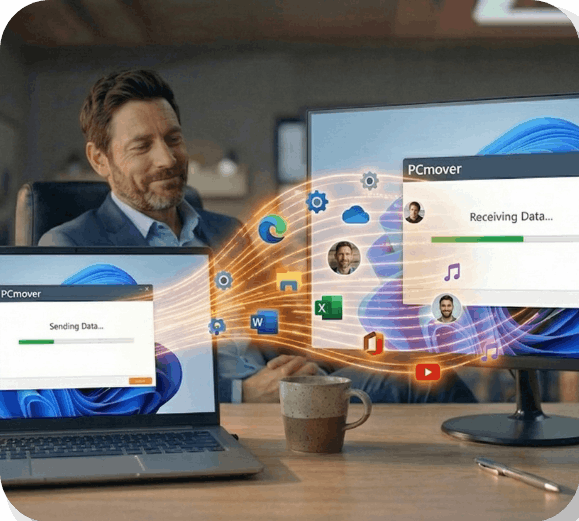
Use PCmover Enterprise with Microsoft SCCM / Intune / MECM to automatically transfer applications, files, profiles, and settings during enterprise PC refresh and Windows migration projects.

Try out a fully functional license of PCmover Profile Migrator Enterprise Edition for FREE!

Fill out the form and we'll email you a serial number and a link to the free download. Or,schedule a demo!

THE PROBLEM

Still rebuilding PCs manually after an SCCM deployment?

SCCM can orchestrate the deployment, but it does not fully solve the hardest part of a refresh: getting users back to work quickly with their applications, settings, and files intact.

  • New deployments typically exclude some user applications and all personal preferences
  • Users lose settings and personalization after refreshes.
  • Manual rebuilds create delays during Windows upgrade cycles.
  • Helpdesk volume spikes when endpoints are not completely ready on day one.
  • Remote and hybrid employees are harder to refresh consistently.

 THE SOLUTION 

Add full user migration power to your existing SCCM workflow

PCmover Enterprise works alongside Microsoft SCCM / Intune / MECM task sequences to preserve the complete PC personality during refresh, replacement, and Windows migration projects.

  • PC refresh and hardware replacement projects
  • Virtual Desktop Migration
  • Break/fix replacements
  • Large multi-site deployments
  • Remote employee migration workflows
  • Automation with policy-based, zero-touch execution

Built for enterprise use cases

$300+

Typical IT labor savings per PC

Less Downtime

Users stay productive faster

Fewer Tickets

Reduce post-refresh support load

Faster Rollout

Scale enterprise refresh projects

Simple process. Enterprise-grade outcome.


Keep your existing deployment framework. Use PCmover Enterprise to

handle the migration layer that standard deployment tools leave behind.

1

Prepare

Configure policy-based migration behavior and define how transfer files or workflows should run.

2

Deploy in SCCM

Call PCmover from your SCCM / Intune / MECM task sequence so migrations launch inside your existing process.

3

Restore productivity

Users receive their apps, files, profiles, and settings faster, with less IT touch and fewer tickets.

THE CONCLUSIONReduce cost on every PC refresh

 
Reduce cost on every PC refresh.

PCmover Enterprise Policies offer you granular control over PCmover behavior, including which, if any, steps of the GUI should or should not be shown to create a zero-touch experience that is suitable for integration with any management system that offers remote-launch and scheduling. This simple example, of a zero-touch automated export using the PCmover File-Based Transfer workflow, is the most common automation scenario we see. Other types of scenarios may introduce complexities beyond what we can cover in a simple tutorial like this, so we highly encourage you to book time with one of our Enterprise Architects or contact us before attempting to deploy such a configuration in your environment.
FAQ: Common questions from enterprise IT teams

Does this replace SCCM?

No. PCmover Enterprise enhances SCCM by handling user migration tasks that SCCM alone does not fully address.

Can it transfer applications?

Yes. PCmover Enterprise is designed to move applications, files, profiles, and settings as part of a migration workflow.

Is this for Windows PC refresh projects too?

Yes. PCmover Enterprise is the only PC migration solution recommended by Microsoft and Intel, helping streamline PC refreshes, hardware replacements, and Windows upgrade projects.

Can remote users be included?

Yes. The page messaging supports remote and hybrid employee refresh scenarios common in enterprise environments.

PCmover Enterprise black logo with transfer icon

Organizations worldwide trust Laplink's PCmover to handle the largest most complex migration scenarios.

With no custom scripting or XML development needed, plus world-class technical support, complicated zero-touch migrations have never been more easily executed, onsite or remotely.

Over 40 Years of Experience

With roots reaching back to the days of MS DOS, we've seen every transfer scenario imaginable. From small issues to the biggest IT nightmares, PCmover can help.

Try it for FREE!

But don't just take our word for it. Fill out the form and download a free, full copy of PCmover Enterprise to see it in action. Or, schedule a free live demo with a migration specialist.