Save Hours of IT Time and Resources Throughout Your PC Hardware and OS Refreshes.
Over $300 in savings per PC migrated
Automate PC Migrations
Reduce End-User Downtime
Try out a fully functional license of PCmover Enterprise for FREE!
Fill out the form and we'll email you a serial number and a link to the free download. Or, schedule a demo!
The Trusted Solution for Enterprise Windows PC Migrations.
PCmover Enterprise simplifies large-scale endpoint migrations by automatically migrating user profiles, applications, files, and settings from one PC to another. Flexible low-touch and zero-touch deployment options reduce the hands-on workload for IT while giving teams the control to customize migrations around their organization’s specific requirements. IT can launch migrations in just a few clicks, then remotely monitor and manage progress while focusing on higher-priority work.
Built for Migrations at Any Scale. Proven for Over 40 years.
From individual PC replacements to complex, organization-wide refresh projects, PCmover Enterprise is built to handle virtually any Windows migration scenario. Trusted by organizations worldwide and recommended by Microsoft and Intel, PCmover delivers the automation, flexibility, and reliability IT teams need to complete migrations with less disruption and less manual effort.

Automated Migrations
Transfers installed applications, app and user settings, data, and user accounts despite potential hardware or OS differences between devices.

Multiple Migration Scenarios
Supports migrations including from 32-bit to 64-bit, cross domain, and Azure Active Directory (AAD) profile migrations.

Simple Implementation
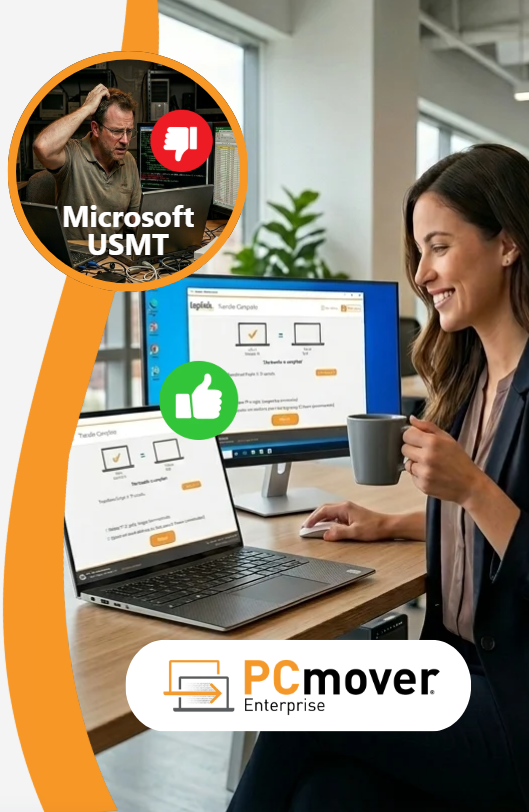
No custom scripting or XML development required, unlike other tools, such as Microsoft’s User State Migration Tool (USMT).

Enterprise Class Support
Laplink’s PC migration experts help configure PCmover around your organization’s specific migration requirements to reduce deployment costs, improve efficiency, and accelerate implementation.

Zero-Touch Migrations
Compatible with leading device management systems like SCCM, MECM, Altiris, Ivanti Landesk, and PDQ Deploy to automatically execute complex migration scenarios.

Remote Migrations
Support remote and distributed migration scenarios with direct connections, policy-driven workflows, and end-user-driven execution.
PCmover Enterprise Transfer Scenarios

Transfer Between PCs
Transfer all of your files, settings, and applications to a new PC using a network or a Laplink USB cable.

File-Based Transfer
Transfer all of your files, settings, and applications to a new PC by creating a transfer file stored on external media.

Image and Drive Assistant
Transfer all of your files, settings, and applications from an old PC’s physical hard drive or image.

Profile Migrator
Transfer applications, files, and settings between user profiles on the same PC.
PCmover Enterprise Over Microsoft's User State Migration Tool (USMT)
| FEATURE COMPARISON | ![]() |
![]() |
|---|---|---|
|
Graphical user interface (GUI), no coding needed |
![]() |
![]() |
|
Transfers selected applications |
![]() |
![]() |
|
Migration from offline Windows® or disk image |
![]() |
![]() |
|
Custom development and branding available |
![]() |
![]() |
|
Asynchronous export/import transfer |
![]() |
![]() |
|
Support for local, domain, and Azure Active Directory accounts |
![]() |
![]() |
|
Onboarding, support, and training available |
![]() |
![]() |
|
Full support for virtualized environments, including P2V, V2P, and V2V migrations |
![]() |
![]() |

Pricing & Licensing Options

Annual Site License
Designed for larger networks, ASLs allow for migrations throughout a 12-month period. Pricing is customized based on the expected volume of migrations. Discounts are available for multi-year agreements.

Volume Licensing Agreement (VLA)
Ideal for lower volume needs and organizations prioritizing flexibility, this pricing option is tier-based with discounts available for larger volumes. VLA licenses expire 4 years from the date of purchase.

Special Pricing
Are you a part of a non-profit, academic, or government entity? Laplink offers special discounts to those who qualify.
Read How PCmover Enterprise Has Helped Organizations Like Yours.
Law Firm Simplifies PC Upgrades for IT Staff and Employees
A Chicago law firm replaced its inconsistent, manual PC upgrade process with PCmover Enterprise. This automated software eliminated data errors and standardized migrations, making hardware upgrades fast, reliable, and seamless for both the IT team and employees. Read more>
Theiner ICT cuts Azure AD Profile Migration Time by 89%
Dutch IT provider Theiner ICT struggled with slow, error-prone manual profile migrations when transitioning clients to Azure AD. By adopting PCmover Enterprise, they slashed migration times by 89%—from 90 minutes down to under 10 minutes per user. This automation delivered highly accurate results, eliminated costly client downtime, and compressed multi-day deployment projects into just a few hours. Read more>
University Completes 1,400 Migrations in Three Months
A major East Coast university faced the daunting task of upgrading 1,400 highly customized PCs within a tight three-month summer window. To maintain their personalized approach to IT support without relying on outdated or limited tools, the university implemented PCmover Enterprise. Read more>
Meet Our Customers
Need a proven large scale migration solution?
Organizations worldwide trust PCmover Enterprise to handle the largest most complex migration scenarios.
With no custom scripting or XML development needed, plus world-class technical support, complicated zero-touch migrations have never been more easily executed, onsite or remotely.
Over 40 Years of Experience
With roots reaching back to the days of MS DOS, we've seen every transfer scenario imaginable. From small issues to the biggest IT nightmares, PCmover can help.
Try it for FREE!
But don't just take our word for it. Fill out the form and download a free, full copy of PCmover Enterprise to see it in action. Or, schedule a free live demo with a migration specialist.

SCHEDULE A DEMO