
 SCHEDULE A DEMO



The Complete PC Refresh Solution:
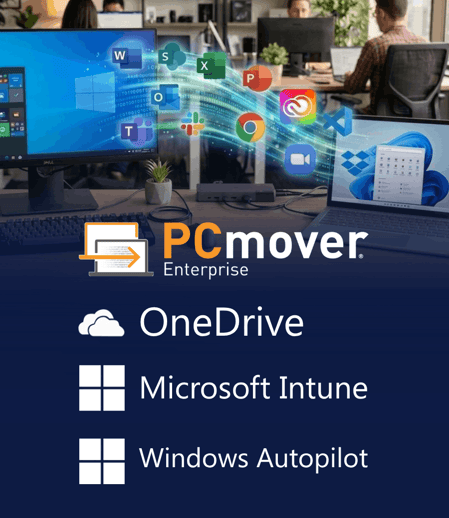
Microsoft Intune, Autopilot, OneDrive, & PCmover Enterprise
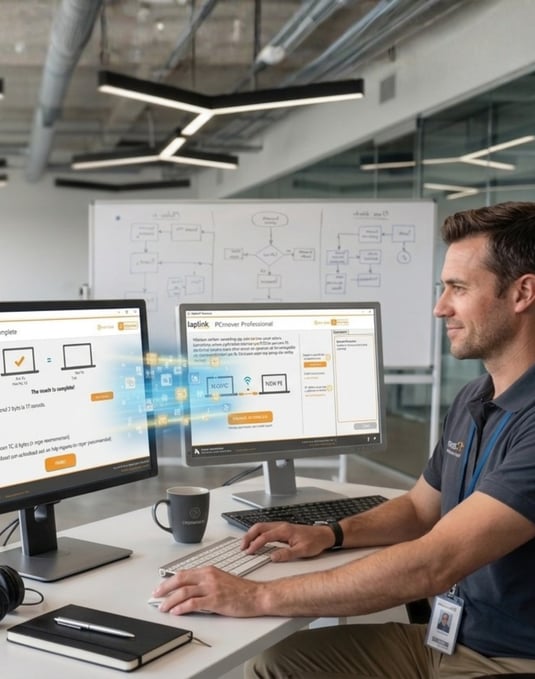
Make PC refreshes faster and easier for IT and end users. PCmover Enterprise works alongside Windows Autopilot, Microsoft Intune, and OneDrive for Business (ODFB) to automate the migration of applications, files, settings, and user profiles—helping organizations reduce manual IT work, minimize downtime, and get employees productive on their new PCs faster.
Fill the Migration Gap in Your PC Refresh Process
Windows Autopilot, Intune, and OneDrive automate key parts of PC provisioning, management, and cloud-based file access. But getting a new PC ready for an employee often requires migrating more than the Microsoft ecosystem alone is designed to move.
PCmover Enterprise fills that gap by automating the migration of applications, files, settings, and user profiles from the old PC to the new one. By working alongside Microsoft’s existing deployment tools, PCmover Enterprise helps IT teams reduce manual setup and reconfiguration, minimize end-user downtime, and complete PC refreshes faster and at scale.
Deployment of Corporate Images
Transfer Personality of the Old PC to the New PC
Post-Deployment PC Management

Recycle Old PC
Protect the Productivity of Existing Employees
Microsoft’s deployment tools focus primarily on provisioning and preparing new PCs—not recreating the complete working environment of an existing employee. Applications, settings, user profiles, and other critical elements can still require manual setup or self-service migration, increasing employee downtime and creating additional work for IT.
Save IT Time and Resources with Automation
Furthermore, neither Autopilot, OneDrive nor Intune provide sufficient automation for the transfer of applications, settings, data, or user profiles. While OneDrive and many other cloud storage options are great for data backup, they’re not the right tool to automatically scan old PCs for all data and selectively move it to a new PC. In fact, we would argue that none of these tools move all the elements that enterprises need to make a new PC fully “ready for business,” to quote Microsoft’s claim.
Lost Data: The Dark Side of PC Migrations
Microsoft’s promotion of OneDrive as the right tool for PC migrations leaves customers with a false sense of security that everything an employee needs will be available on the new PC. OneDrive is an effective cloud storage and synchronization solution, but it is not a complete PC migration solution. Locally stored files that aren't synchronized to OneDrive—as well as installed applications, application settings, and complete user profiles—can be left behind, creating migration gaps, lost productivity, and additional support work for IT. The consequences can be disastrous.




| Features |
PCmover Enterprise |
Microsoft ODFB |
Microsoft AutoPilot w/ ODFB & ESR |
Microsoft ODFB W/ESR |
|---|---|---|---|---|
| Transfers selected applications |  |
|||
| Transfers user profiles | |
1 |
|
|
| Transfers application settings | |
|||
| Transfers user data | |
2 |
|
|
| Streaming "live" transfer | |
|||
| Non-network transfer options | |
internet only | internet only | internet only |
| Asynchronous export/import transfer | |
|
|
|
| Data filter options | |
3 |
|
|
| GUI interface, no coding required | |
|
|
|
| Interactive transfer support | |
|||
| Policy-defined transfer support | |
|||
| P2V, V2P, and V2V support | |
|||
| Migration from offline Windows disk or image | |
|||
| Migration alerts and reports | |
|||
| Support available | |
|||
| Onboarding and training available | |
|||
| Custom branding available | |
|||
| Helps with imaging | |
|

Organizations worldwide trust PCmover Enterprise to handle the largest most complex migration scenarios.
With no custom scripting or XML development needed, plus world-class technical support, complicated zero-touch migrations have never been more easily executed, onsite or remotely.
Over 40 Years of Experience
With roots reaching back to the days of MS DOS, we've seen every transfer scenario imaginable. From small issues to the biggest IT nightmares, PCmover can help.